In short
Faintrail is a privacy-first session replay tool for small and mid-size businesses. A small script on your website records visits. You open any visit and watch it play back beside a plain-words log of every page, click and problem, such as rage clicks, unanswered clicks and errors. Text that visitors type is never recorded, private pages are left out, and you choose whether the data is kept in the EU, the UK or the US. You can filter visits, for example to everyone who reached your pricing page, and download their logs as one text file for an AI assistant to read.
- Typed text is never recorded.
- Email addresses, phone and card numbers on the page are hidden.
- You choose the EU, the UK or the US.
- Never sold or shared.
What you get
Watch the visit, read the story.
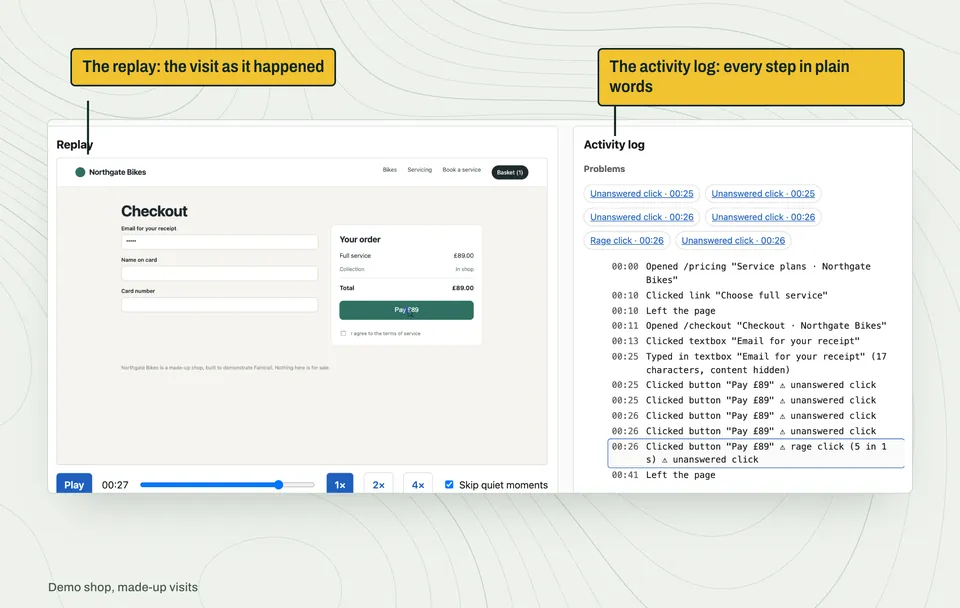
Each visit plays back beside a log in plain words, such as Opened /checkout or Clicked button "Pay £89". You can skim a five-minute visit in seconds, then watch the moment that matters.
Problems found for you.
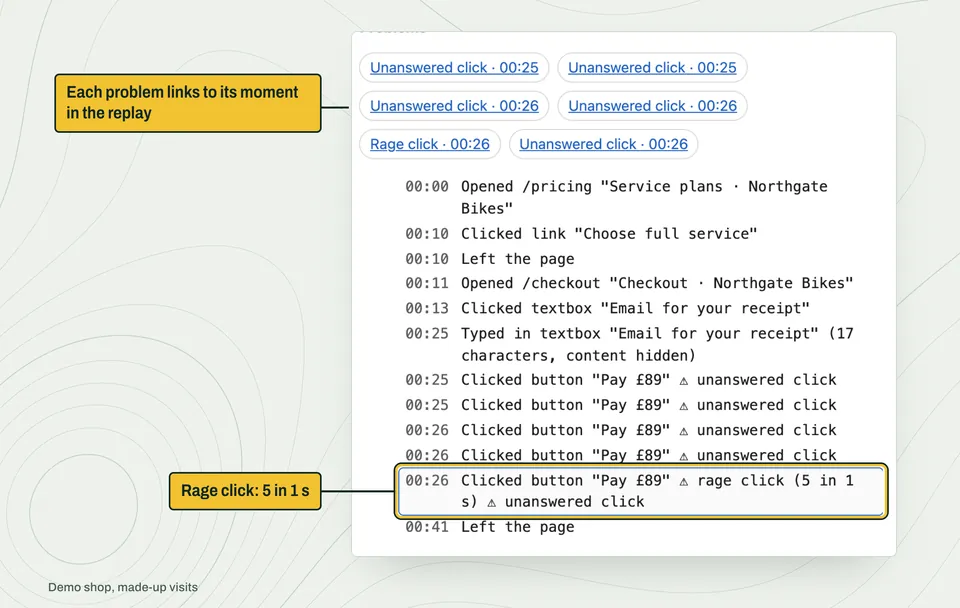
Faintrail marks rage clicks, unanswered clicks (often called dead clicks), forms started and never sent, errors, and visitors who left straight after one.
The visits that matter, in one list.
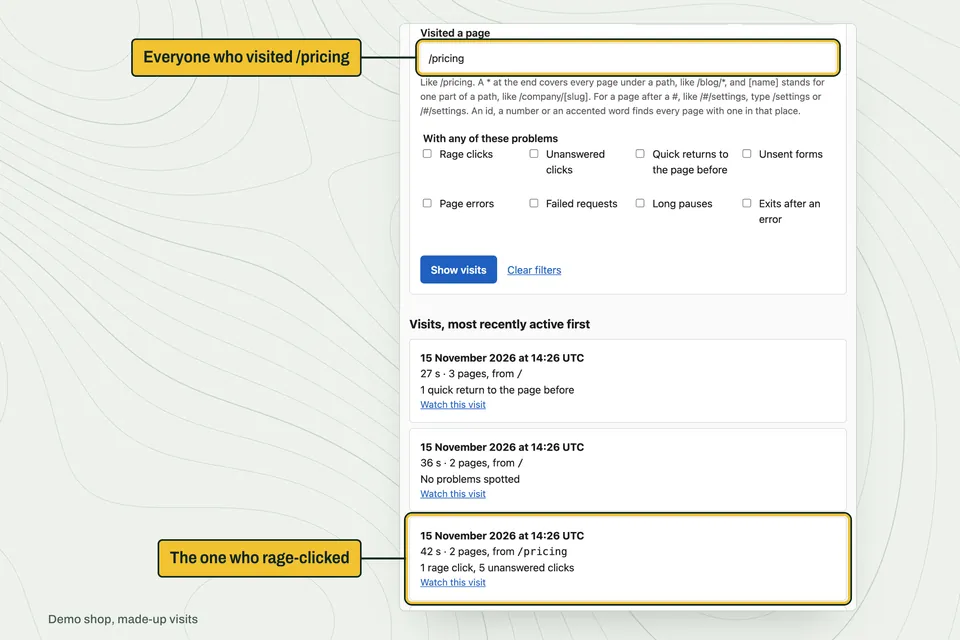
Filter by the page someone visited, the problem they met, how long they stayed, or the date. "Everyone who saw the pricing page and rage-clicked" is one search.
An AI can read them for you.
From your visits to the assistant you choose
- Filter your visits
For example, everyone who visited your pricing page. - One text file
Up to 100 visits, at most 50 MB. - You decide
Read it yourself, or pass it on. - Any assistant
ChatGPT, Claude or any assistant that reads text files.
Nothing is sent to an AI automatically.
Download up to 100 visits as one text file and give it to an AI assistant such as ChatGPT or Claude. Ask where people struggle, and it reads every visit for you.
Less data, kept where you choose.
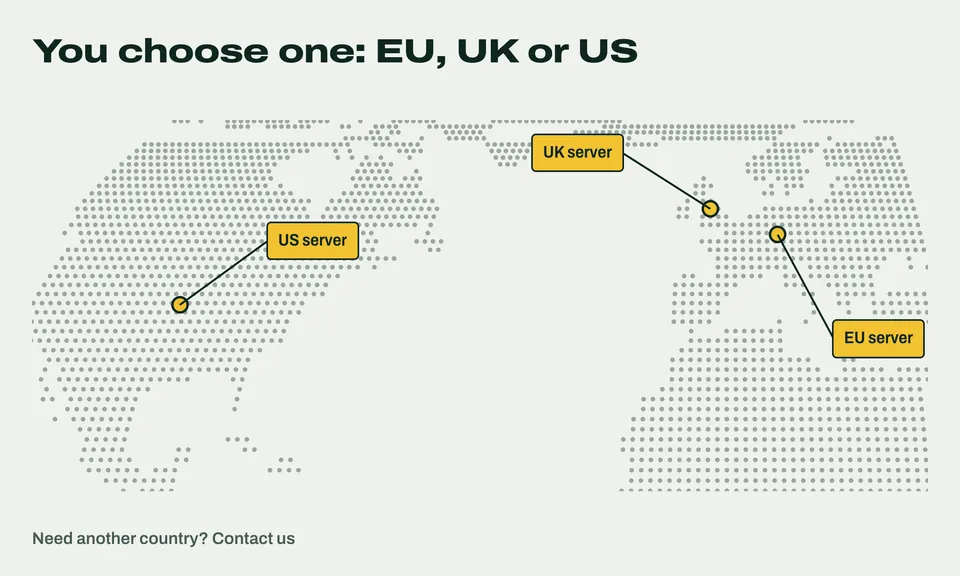
Typed text is never recorded. Email addresses, phone and card numbers on the page are hidden. Pages you mark private aren't recorded at all. Choose where your visitors' data lives: the EU, the UK or the US.
How it works
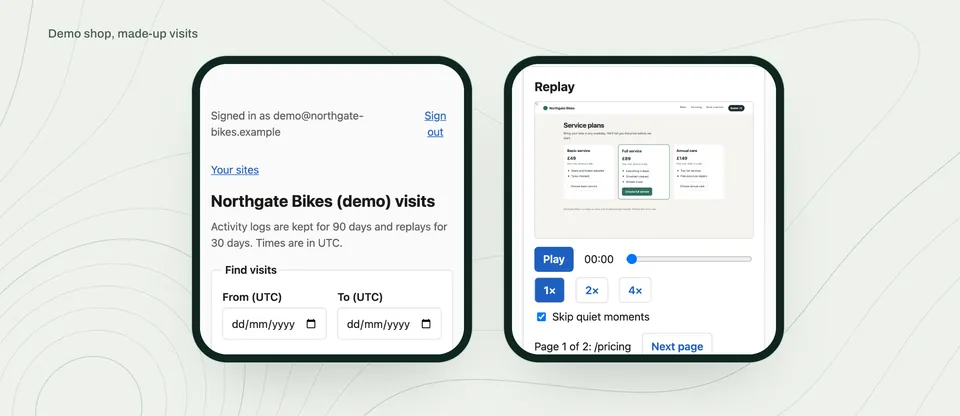
- Add one small script to your website. Whoever looks after your site pastes it in once.
- Choose what to record. How many visitors, which pages are always recorded, which are never recorded, and whether to wait for your cookie banner's yes.
- Open your visits. Each visit's log is ready about 30 minutes after the visitor's last action.
- Filter, watch, fix. Or download the visits and ask an AI where people get stuck.
How a visit becomes a trail
- Your website
One small script, pasted in once. - The visitor's browser
Typed text is dropped, and emails, phone and card numbers are hidden, before anything is sent. - A Faintrail server
In the region you chose: the EU, the UK or the US. - The activity log
Ready about 30 minutes after the visitor's last action. - Your team
Opens visits, filters them, and downloads them for an AI to read.
Who it's for
Owners, marketers and product people at small and mid-size businesses who want to know why a page isn't working, and would rather keep no more about their visitors than they need. You don't need to be technical to use it. Someone adds the script once; after that it's a list of visits you can open.
See a sample visit
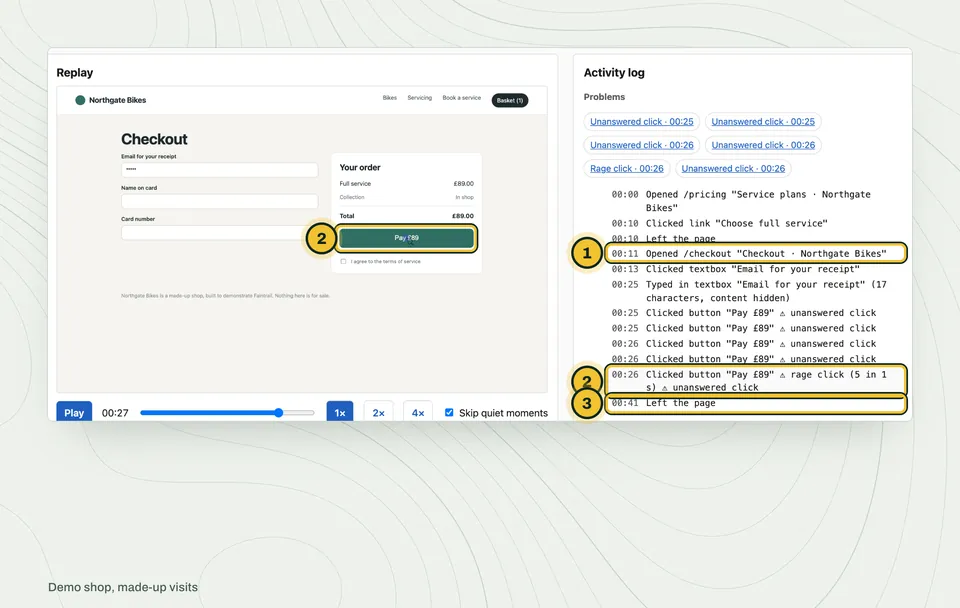
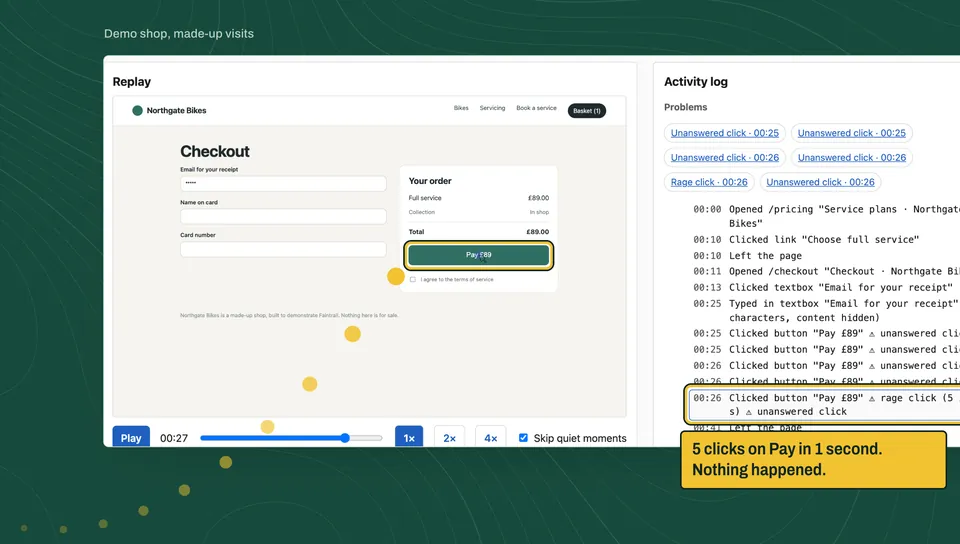
A visit to Northgate Bikes, a made-up shop, made by a script and recorded by Faintrail. This is the log Faintrail wrote for it.
00:00  Opened /pricing "Service plans · Northgate Bikes"
00:10  Clicked link "Choose full service"
00:11  Opened /checkout "Checkout · Northgate Bikes"
00:13  Clicked textbox "Email for your receipt"
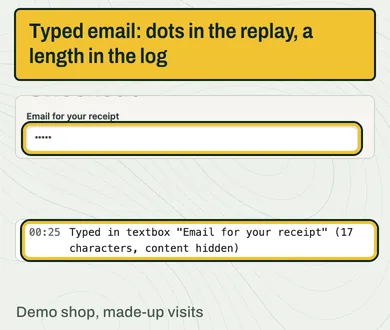
00:25  Typed in textbox "Email for your receipt" (17 characters, content hidden)
00:25  Clicked button "Pay £89"    ⚠ unanswered click
00:25  Clicked button "Pay £89"    ⚠ unanswered click
00:26  Clicked button "Pay £89"    ⚠ unanswered click
00:26  Clicked button "Pay £89"    ⚠ unanswered click
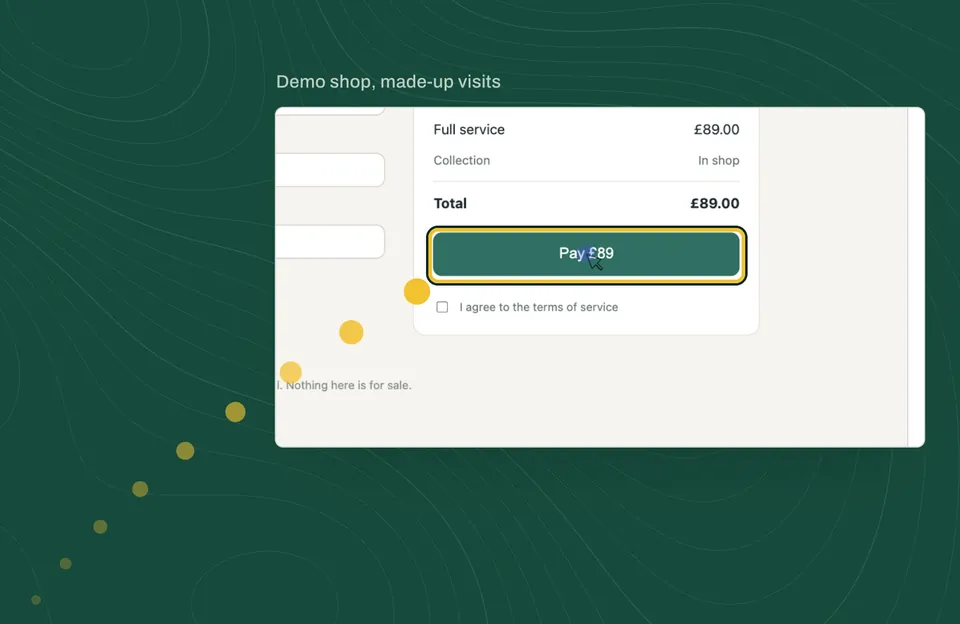
00:26  Clicked button "Pay £89"    ⚠ rage click (5 in 1 s) ⚠ unanswered click
00:41  Left the page
Five clicks on "Pay £89" in one second, and nothing happened. Fifteen seconds later the visitor left. A visitor count shows none of it.
What Faintrail doesn't do yet
We'd rather you know now than find out later. Faintrail has no heatmaps, no surveys or feedback widgets, no funnel reports and no recording of mobile apps. Its log doesn't record a visitor's country, type of device or where they came from. If you need those today, see how other tools compare.
Questions people ask
What is session replay?
Session replay records what happens on a web page during a visit, such as pages, scrolling and clicks, so you can play it back like a video. It rebuilds the page rather than filming the screen. Faintrail adds a written log beside each replay, so you can read a visit as well as watch it.
Does Faintrail record what visitors type?
No. Text typed into forms, search boxes and messages is never recorded. The log notes only that someone typed, and how many characters. Email addresses, phone and card numbers shown on the page are hidden too.
Where is the data kept?
On a server in the region you choose: the EU, the UK or the US. We host it for you, so there's nothing to install beyond the script. If you need another country, contact us. Your visitors' data is never sold or shared.
Do I need a cookie banner for Faintrail?
Faintrail sets no cookies, but in "record unless they say no" mode it keeps a visit number in the browser's storage, which privacy rules can treat like a cookie, so don't assume you can skip the banner. You can set it to wait for your cookie banner's yes before it records anything, or to record unless a visitor says no, with a line in your privacy notice. Which you need depends on where you and your visitors are; if you're unsure, ask whoever advises you on privacy.
Will it slow my website down?
The script is small, about 13 KB before it decides whether to record, and the replay part loads only for visits that are recorded. It never holds up your page loading.
How much does Faintrail cost?
There are no prices yet. Join the early list and you'll hear first.